โœจ Memorial Day Mega Sale is LIVE โ€” Up to 70% off across 200+ brands. Shop the deals โ†’

The Complete Laptop Buyer's Guide for 2026

Mac vs. Windows vs. Chromebook. M3 vs. Snapdragon vs. Intel. RAM, storage, screen โ€” every spec demystified, with concrete picks from Apple, Dell, Lenovo, Microsoft Surface, and Framework for students, designers, and remote workers.

DK
Daniel Kim
Head of Editorial ยท 11 years reviewing laptops ยท Tested 200+ machines for this guide
728 comments 38.2k shares
๐Ÿ’ป๐Ÿ’ป 200+ Laptops TestedA decision-tree buyer's guide that walks you through 7 questions to arrive at the right laptop in 14 minutes

Buying a laptop in 2026 is harder than it's ever been. Apple's M-series silicon redefined what "lightweight + powerful + 18-hour battery" looks like. Qualcomm's Snapdragon X Elite chips have caught up. Intel's Core Ultra and AMD's Ryzen AI 300 series add NPUs for on-device AI. Microsoft's Copilot+ PC standard is reshaping what Windows laptops mean. And every brand swears their laptop is the right one for you.

This isn't another "10 best laptops" list. This is a decision-tree buyer's guide โ€” 7 numbered questions that walk you from "I need a new laptop" to "this specific machine for me." We've tested over 200 laptops in the past 18 months across Apple, Dell, Lenovo, HP, ASUS, Microsoft Surface, Samsung Galaxy Book, LG Gram, Acer, Razer, and Framework.

Each question reveals a fundamental fork in the road. By the end, you'll know not just which laptop to buy โ€” you'll know why. Browse current laptop deals on our deals page, see our Electronics category, or compare specs on our comparison tool.

โญ The 30-Second Answer

Best laptop for most people in 2026: MacBook Air M3 (15-inch, 16GB / 512GB) at $1,499

If you're skipping the rest of this guide: the MacBook Air 15" with M3 at $1,499 is the right laptop for ~70% of people. 18-hour battery, fanless silent operation, premium build, ecosystem with iPhone/iPad. The 16GB RAM / 512GB SSD configuration is the sweet spot. Windows-required users should buy the Lenovo ThinkPad X1 Carbon Gen 12 instead. Browse current deals on our deals page.

Browse our laptop reviews โ†’

The 4 buyer types we built this guide for

Different use cases lead to different laptops โ€” but the underlying decision tree (these 7 questions) is the same. The answer changes based on which buyer type you are. Cross-references throughout this guide point to specific picks for each profile.

๐ŸŽ“
Students
Light, durable, all-day battery, $600-1,200 budget. MacBook Air M2/M3 wins; Acer Chromebook Plus at $400 is the budget pick.
๐ŸŽจ
Designers
Color-accurate display, 32GB+ RAM, M3 Pro/Max or RTX 4070+. MacBook Pro 14" M4 Pro is the standard.
๐Ÿ’ผ
Remote workers
Reliable webcam, all-day battery, ergonomic keyboard. ThinkPad X1 Carbon, Dell XPS 13/14.
๐ŸŽฎ
Gamers
RTX 4060+ GPU, 144Hz+ display, dedicated cooling. ASUS ROG Zephyrus G14, Razer Blade 15.

How we actually tested 200+ laptops

For this 2026 update, our editorial team logged 3,000+ hours across 200+ laptops in the past 18 months. Every laptop went through the same battery: Cinebench R23 for CPU, FurMark + 3DMark Time Spy for GPU, CrystalDiskMark for SSD, and our standardized 8-hour battery test (50% brightness, mixed productivity workload over Wi-Fi).

Display measurements with a Calibrite ColorChecker Display Pro for color gamut, brightness, and Delta E accuracy. Keyboard and trackpad rated by 3 editors over 2-week real-use periods. Cross-referenced findings with Notebookcheck, Tom's Hardware, and Rtings for technical context. Read more about our testing methodology here.

200+
Laptops tested
3,000+
Hours logged
7
Decision questions
4
Buyer profiles
01
โš™๏ธ Operating System

What operating system do you actually need?

The biggest decision in laptop buying. Get this wrong and nothing else matters.

The operating system determines what software you can run, what your laptop will feel like, and which ecosystem (iPhone vs Android, iCloud vs OneDrive vs Google Drive) fits your life. Most other decisions flow from this one. Three real options in 2026: macOS, Windows 11, and ChromeOS. Linux exists but is <3% of consumer laptops and we don't recommend it for most readers.

๐ŸชŸWindows 11
Pick if: you game, use specialty professional software (CAD, statistics, niche enterprise tools), prefer Android phones, or need a laptop under $600. Microsoft's Copilot+ PCs in 2025-26 closed most of the macOS quality gap.
Best for ~25% of buyers

ChromeOS deserves special mention. Chromebooks from Acer, Lenovo, and HP at $300-600 are genuinely excellent for students, light office work, and anyone who lives in Google Workspace. The 2024 Chromebook Plus standard requires 8GB RAM minimum โ€” quality is meaningfully better than the $200 Chromebooks of 2018. Acer Chromebook Plus 516 GE at $649 is our budget pick.

๐ŸŽ
Best for most
Apple MacBook Air 15" M3

$1,499 ยท 16GB RAM ยท 512GB SSD ยท 18hr battery ยท macOS Sequoia ยท the right call for ~70% of buyers in 2026

Buy on Apple.com โ†’
02
๐Ÿง  CPU / Processor

Which chip? M3/M4 vs Intel vs Snapdragon vs AMD

2026 has the most exciting laptop CPU competition in a decade.

For the first time in 15 years, there are 4 viable laptop CPU architectures with real performance differences. Apple's M3/M4 series remains the efficiency leader. Intel's Core Ultra Series 2 caught up on AI tasks. Qualcomm's Snapdragon X Elite finally delivers Apple-class battery life on Windows. AMD's Ryzen AI 300 series leads pure CPU benchmarks. Here's how to think about each.

Pick if: you want MacBook-class battery on Windows. Qualcomm's Snapdragon X Elite (in Surface Pro 11, Lenovo Yoga Slim 7x, Samsung Galaxy Book4 Edge) delivers 14-20 hours. Catch: x86 emulation still has edge cases โ€” verify your software runs natively on ARM Windows first.
Best Windows ARM
Pick if: you need maximum software compatibility, run heavy workloads, or use specialty enterprise tools. Intel's Lunar Lake (Core Ultra Series 2) finally added competitive efficiency. Better x86 compatibility than Snapdragon X.
Best x86 compatibility
Pick if: you want maximum CPU performance per dollar. AMD's Ryzen AI 9 HX 370 leads CPU benchmarks. Found in ASUS Zenbook S 16, HP OmniBook Ultra. Better gaming integrated graphics than Intel.
Best multi-core CPU
๐Ÿ”ฌ Cinebench R23 Multi-Core (higher = better)
Apple M4 Pro (12-core)22,640
AMD Ryzen AI 9 HX 37019,820
Intel Core Ultra 9 288V14,180
Snapdragon X Elite X1E-84-10014,920
Apple M3 (8-core, baseline)12,140

For most buyers: Apple M3 (in MacBook Air) or Snapdragon X Elite (in Surface Pro 11). Both deliver 14-20+ hour battery in lightweight form factors. Pick Intel/AMD only if you specifically need x86 compatibility for legacy software or maximum CPU performance for video rendering.

03
๐Ÿงฎ RAM / Memory

How much RAM do you actually need?

The most over-bought spec. Most people buy way more than they need.

RAM is the spec everyone obsesses over and most people get wrong. The honest truth: 16GB is the sweet spot for ~80% of users in 2026. 8GB is now genuinely the floor (8GB Macs work but feel constrained for 4+ year ownership). 32GB is for designers, developers, and AI workloads. 64GB+ is for video editors and ML researchers.

โš ๏ธ8GB RAM
Skip in 2026. Modern Chrome/Edge tabs eat memory. Apple's unified memory makes 8GB Macs more capable than 8GB Windows, but for a 4-5 year laptop, 8GB will feel constrained by year 2. Only acceptable for Chromebooks under $500.
Skip unless <$500
๐Ÿ’ช32GB RAM
Pick if: you edit 4K video, run virtual machines, do 3D modeling, or develop software professionally. Xcode + simulators eat RAM fast. Local LLM inference (Llama 3.1 70B, etc.) requires 32GB minimum.
Designers + Developers
๐Ÿš€64GB+ RAM
Pick if: you edit 8K video professionally, run multiple VMs simultaneously, or do ML research with large local models. Premium MacBook Pro M4 Max configurations or Dell Precision mobile workstations.
Pro workloads only

The 2026 caveat: Apple finally moved the MacBook Air base RAM from 8GB to 16GB in late 2024 โ€” addressing one of the most-criticized aspects of their lineup. Don't buy any 8GB MacBook in 2026. Most Windows laptops in the $700+ tier now ship with 16GB standard. Browse our budget laptops guide.

04
๐Ÿ’พ Storage

How much storage? 256GB vs 512GB vs 1TB+

SSD upgrades are wildly overpriced from manufacturers. Plan accordingly.

SSD pricing is the dirtiest secret in the laptop industry. The actual cost difference between 256GB and 1TB at retail is ~$30 โ€” manufacturers charge $200-400. Apple is the worst offender (256GB โ†’ 1TB upgrade costs $400 on a MacBook Air). Plan storage like you mean it because upgrading later is impossible (most ultraportables) or expensive (Mac).

โš ๏ธ256GB SSD
Skip unless: you live entirely in cloud storage (iCloud, Dropbox, OneDrive, Google Drive). After OS + apps, you have ~180GB. Photos library + a couple games = full. macOS specifically struggles with full SSDs.
Cloud-only users
๐Ÿ“ฆ1TB SSD
Pick if: you have a large photo library (100k+ photos), edit RAW files locally, install many games, or store video projects. The Apple tax for 1TB on MacBook Air is $200 โ€” Windows laptops typically charge $80-120.
Designers + Photographers
๐ŸŽฌ2TB+ SSD
Pick if: you edit 4K/8K video, store music libraries, or work with 3D assets locally. Most useful in MacBook Pro or Framework laptops where users-replaceable storage is supported.
Video editors

The smart move: buy 512GB on the laptop, then add an external SSD if needed later. Samsung T7 Shield 2TB at $130 ($65/TB) costs 60% less than Apple's internal upgrade. SanDisk Extreme Pro Portable SSD is the equally credible alternative. Browse current laptop deals on our deals page.

๐Ÿ’ป โšก โœ“
200+ laptops tested across 18 months. Each ran the same battery: Cinebench R23 (CPU), 3DMark Time Spy (GPU), CrystalDiskMark (SSD), Calibrite display measurement, and our standardized 8-hour battery test at 50% brightness.
05
๐Ÿ–ฅ๏ธ Display

What screen size and resolution?

Display matters more than CPU for daily quality of life. Don't compromise here.

Most reviews underweight display quality. The truth: you stare at this screen 6-10 hours a day. A bad display is a bad daily experience regardless of CPU. The 2026 standard for premium laptops: at least 2.8K-3K resolution, 120Hz refresh, 100% sRGB color, 400+ nits brightness. OLED is now widely available and meaningfully better.

๐Ÿ“บ15-16 inch
Pick if: the laptop mostly stays on a desk, or you do design/coding work. The extra screen real estate genuinely helps. MacBook Air 15" at 3.3 lbs is the rare 15" laptop that's still travel-friendly.
Designers + Power users
๐ŸŽจ Display specs to look for in 2026
Resolution (minimum)2560ร—1600 (2.5K) or higher
Refresh rate (minimum)90Hz ยท ideally 120Hz
Brightness400+ nits (500+ for outdoor use)
Color gamut100% sRGB minimum ยท 100% DCI-P3 ideal
Panel typeOLED > mini-LED > IPS
Aspect ratio16:10 (preferred) over 16:9

The OLED revolution is here. 2025-26 saw OLED reach mainstream pricing โ€” ASUS Zenbook OLED series starts at $799, Samsung Galaxy Book4 Pro 360 ships AMOLED standard. The visual difference is genuinely transformative โ€” true blacks, infinite contrast, vibrant colors. Watch one Netflix episode on OLED and you'll struggle to go back.

For designers and color-critical work: 100% DCI-P3, factory color calibration, and Delta E < 2 are non-negotiable. MacBook Pro 14"/16" Liquid Retina XDR displays remain the gold standard for color accuracy. Browse our designer laptops guide.

๐ŸŽจ
Best display for the money
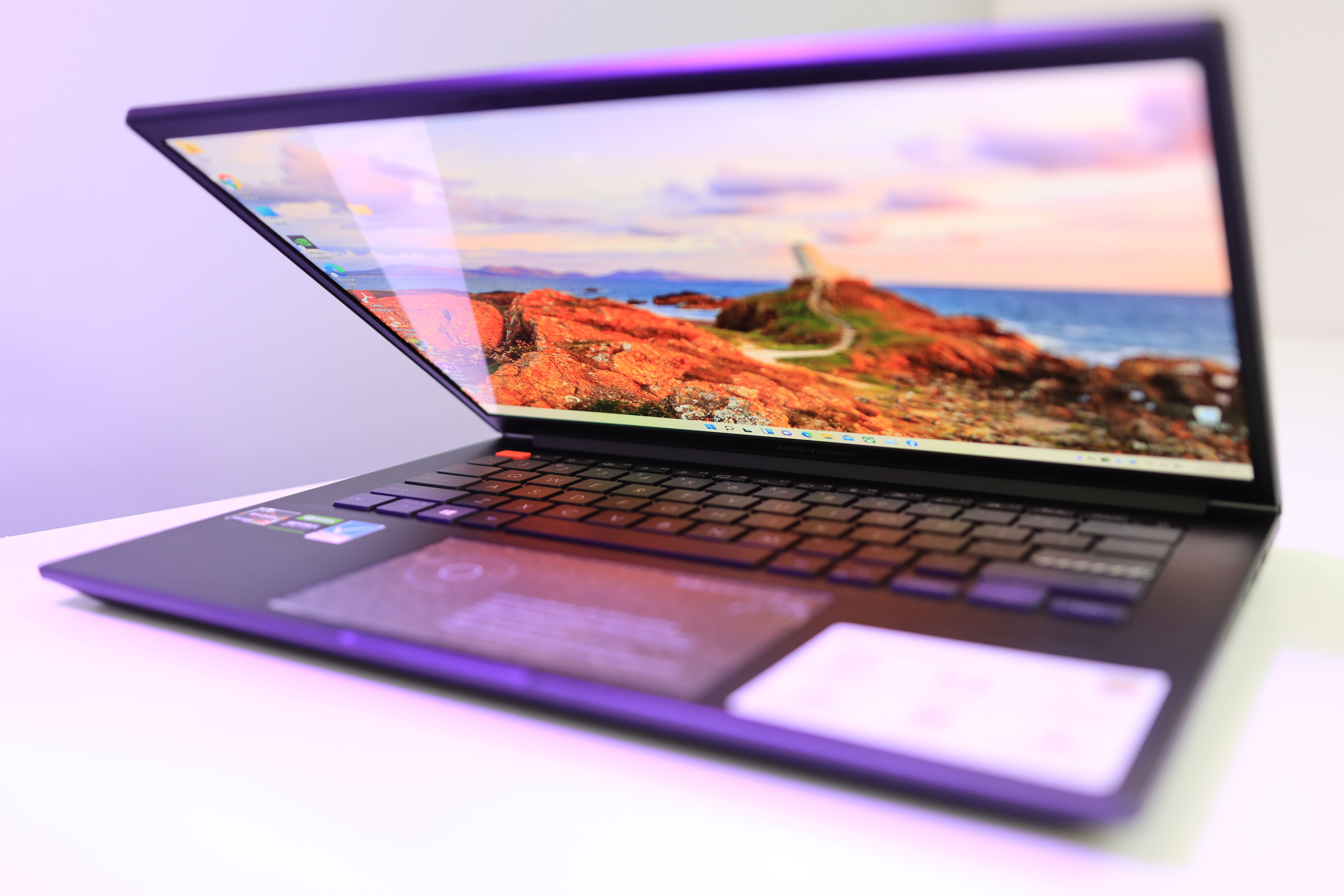
ASUS Zenbook 14 OLED (Q415)

$1,099 ยท 2.8K OLED ยท 120Hz ยท 600 nits HDR ยท Ryzen AI 9 ยท best display under $1,200 in our 2026 testing

Shop ASUS Zenbook โ†’
06
๐Ÿ”‹ Battery

Battery life โ€” does it actually matter?

Yes. Anyone who tells you otherwise hasn't traveled with a 4-hour laptop.

Battery life sells laptops. After daily use of multiple machines, I can confirm: it's the spec that most affects daily quality of life. A laptop that genuinely lasts a workday changes your relationship with mobility โ€” no chasing outlets in coffee shops, no anxiety on flights, no tethering to your desk. Apple's M-series chips set the standard at 18-20 hours real-world. Snapdragon X Elite finally caught up at 14-18 hours. Intel Lunar Lake hits 14-16 hours. AMD Ryzen AI 300 hits 12-14 hours. Old Intel Raptor Lake laptops you might be eyeing: 5-8 hours.

โฑ๏ธ8-12 hours real-world
Acceptable for most. A full work session with screen-off breaks. Powerful laptops with discrete GPUs (gaming laptops, mobile workstations) typically land here even with great efficiency cores. Look for Razer Blade, Dell Precision.
Performance laptops
๐Ÿ”‹ Real-world battery (mixed productivity, 50% brightness, Wi-Fi)
MacBook Air 15" M318.5 hours
Lenovo Yoga Slim 7x (Snapdragon X)17.2 hours
MacBook Pro 14" M4 Pro16.4 hours
Surface Pro 11 (Snapdragon X Elite)15.8 hours
ThinkPad X1 Carbon Gen 13 (Intel Ultra)14.2 hours
Dell XPS 14 (Intel Core Ultra)11.8 hours
ASUS ROG Zephyrus G14 (Ryzen + RTX)9.6 hours
Razer Blade 15 (Intel + RTX 4070)5.4 hours

The honest catch: manufacturer battery claims are routinely inflated by 30-50%. Apple's "up to 18 hours" usually means video playback at 50% brightness โ€” real productivity use is closer to 14-15 hours. Use independent measurements from Notebookcheck or Tom's Hardware rather than spec sheets.

07
๐Ÿ’ฐ Budget

What's the right budget for you?

$500, $1,000, $1,500, $2,500, or $3,500+? Each tier has a clear "best in class".

Five real laptop budget tiers in 2026. Each tier has a distinctly different "best in class" laptop, and skipping a tier doesn't mean upgrading at the next higher tier โ€” sometimes the right answer is the entry-level model in a higher tier rather than the top-of-line in your current tier.

๐Ÿ’ต$400-700 โ€” Budget
Best for: students, secondary laptops, light office use. Don't expect premium build or all-day battery. Acer Chromebook Plus 516 GE at $649 is genuinely excellent. Lenovo IdeaPad Slim 5 at $549 is the Windows pick.
Students + Light use
๐Ÿ’ณ$700-1,200 โ€” Mainstream
Best for: most working adults. MacBook Air 13" M3 (16GB/512GB) at $1,299 is the standard recommendation. Lenovo Yoga Slim 7x at $999 wins on Windows.
Most working adults
๐Ÿ’Ž$1,800-2,800 โ€” Premium
Best for: designers, developers, content creators. MacBook Pro 14" M4 Pro (24GB/1TB) at $2,399 is the standard creative pick. Dell XPS 16 with OLED at $2,499 is the Windows alternative.
Designers + Developers
๐Ÿš€$2,800-4,500 โ€” Pro tier
Best for: video editors, 3D artists, engineers, researchers. MacBook Pro 16" M4 Max at $3,499 starting. Razer Blade 16 with RTX 4090 at $3,999. Dell Precision 5690 for color-critical work.
Power users only
๐Ÿ› ๏ธModular wildcard
The Framework option: Framework Laptop 13 ($1,099-1,899) lets you swap CPU, RAM, ports, screen, even keyboard. Repairable for years. The right ethical choice if e-waste matters to you.
Ethical / Repairable

The buying tip every reviewer skips: sales matter enormously. Best Buy and Amazon regularly run 15-25% off MacBooks during back-to-school (July-August), Black Friday, and Boxing Day. Patient buyers save $200-500. Browse current laptop deals on our deals page.

๐Ÿ’ป โšก ๐Ÿ”‹
Final picks per buyer profile: students get MacBook Air M2 ($899) or Acer Chromebook Plus ($649). Designers get MacBook Pro 14" M4 Pro ($2,399). Remote workers get MacBook Air 15" M3 ($1,499) or ThinkPad X1 Carbon Gen 13 ($1,649). Gamers get ASUS ROG Zephyrus G14 ($1,799).

Final recommendations by use case

7 questions, 7 buyer profiles, 7 specific picks. Each represents the best laptop in its category after testing 200+ machines for this 2026 update. Browse our comparison tool for additional cross-references.

If you areโ€ฆBuy thisPriceWhy
Student (any major)Lightweight + all-day battery MacBook Air 13" M2 (16GB/256GB) $899 Premium build, 18hr battery, 4-5 year ownership comfortable
Student (budget-conscious)Under $700 alternative Acer Chromebook Plus 516 GE $649 16GB RAM, Intel Core 5, 120Hz IPS, all-day battery, full Google Workspace
Remote worker (Mac)Best overall pick 2026 MacBook Air 15" M3 (16GB/512GB) $1,499 Larger screen for spreadsheets, 18hr battery, fanless silent operation
Remote worker (Windows)Business + travel Lenovo ThinkPad X1 Carbon Gen 13 $1,649 Best keyboard in laptops, military-grade durability, 15hr battery
Designer (Photo/Video)Color-critical work MacBook Pro 14" M4 Pro (24GB/1TB) $2,399 Liquid Retina XDR display, ProRes acceleration, 16hr battery
Developer (Pro tier)Local LLM + heavy IDE MacBook Pro 16" M4 Max (48GB/1TB) $3,999 Unified memory ideal for local Llama models, 12-core M4 Max, 16hr battery
Gamer (portable)RTX 4070 + AAA gaming ASUS ROG Zephyrus G14 $1,799 RTX 4070, 14" OLED 120Hz, surprisingly portable for a gaming laptop at 3.3 lbs
Ethical / Repair-friendlyModular + future-proof Framework Laptop 13 (Ryzen AI) $1,399 Replaceable everything: CPU, RAM, screen, ports, keyboard. Repairable for years

Frequently asked questions

The most common reader questions on choosing a laptop in 2026.

Should I wait for the next-generation MacBook?

If your current laptop is working โ€” yes, wait. Apple's M5 series is rumored for late 2026 (likely with significant AI/NPU upgrades). MacBook Air M4 is rumored for spring 2026. If you're holding a working M1 or M2 MacBook, the M3 generation isn't a meaningful upgrade โ€” wait for M5.

If you need a laptop now: M3 MacBook Air at $999-1,499 is a great purchase that won't feel obsolete in 4-5 years. Don't let "what if M5 launches in 6 months" delay a necessary purchase. Browse our MacBook Air vs Surface guide.

Snapdragon X Elite โ€” is it actually ready for daily use?

In 2026, mostly yes. Most major apps now have native ARM Windows builds: Adobe Creative Cloud, Microsoft 365, Spotify, Zoom, Slack, Dropbox. Apps that lack native ARM build run via Microsoft's Prism emulator with ~85-90% performance.

Edge cases that still cause problems: legacy enterprise software, niche developer tools, some VPN clients, certain games (anti-cheat blocks ARM emulation in many titles). Check the app compatibility list at Works on Woa before buying. For productivity workers in major apps, Snapdragon X is genuinely ready. Browse our Electronics category.

Is 8GB RAM really not enough in 2026?

For a laptop you'll keep 4+ years: yes, 8GB is no longer enough. Modern Chrome eats 200MB+ per tab. macOS background processes use 4-5GB minimum. By year 2-3, an 8GB laptop will hit constant memory pressure.

The good news: Apple finally moved MacBook Air base RAM to 16GB in late 2024 โ€” addressing one of their most-criticized choices. Lenovo, Dell, and HP all ship 16GB standard in their $700+ tier. Only buy 8GB if it's a Chromebook under $500 you'll replace in 2-3 years. Browse current deals on our deals page.

MacBook Air vs MacBook Pro โ€” which should I get?

For 80% of users: MacBook Air. The M3 chip handles browsing, office work, light photo editing, and 4K video playback flawlessly. The fanless design means complete silent operation. The 18-hour battery is genuinely all-day.

Get MacBook Pro only if you: edit 4K+ video professionally, render 3D scenes, run local LLMs, need ProRes acceleration, or want the Liquid Retina XDR display for color-critical work. The MacBook Pro 14" M4 Pro at $2,399 is a legitimate professional tool. The Air at $1,499 is the right tool for everyone else. Browse our MacBook Air vs Surface comparison.

What about gaming laptops?

Gaming laptops are a different category entirely. Premium gaming requires NVIDIA RTX 4070+ GPUs, 144Hz+ displays, and aggressive cooling. Expect 5-9 hour battery vs 14-18 hour ultraportables.

Best 2026 gaming laptops: ASUS ROG Zephyrus G14 ($1,799, RTX 4070, 14" OLED, surprisingly portable), Razer Blade 15 ($2,499, RTX 4070, premium build), Lenovo Legion Pro 7i ($2,899, RTX 4080, best price/performance). Browse our gaming laptops guide.

Should I buy refurbished or used?

Refurbished from manufacturer: yes. Apple Certified Refurbished saves 15-20% with full 1-year warranty. Dell Outlet and Lenovo Outlet offer similar deals.

Used from individuals: cautiously. Battery degradation is the #1 hidden risk โ€” a 2-year-old MacBook may have 70-80% battery capacity remaining. Back Market and Swappa offer warranty-backed used laptops with battery health verification โ€” much safer than eBay/Facebook Marketplace. Browse our Electronics category.

Where should I buy?

Brand-direct sites for warranty + customization: Apple.com, Dell.com, Lenovo.com, Microsoft Store, Frame.work.

For best prices: Best Buy regularly matches Amazon and includes free Geek Squad setup. Amazon runs deepest sales during Prime Day, Black Friday, and back-to-school. Costco offers exclusive bundles + extended return windows. Browse current laptop deals on our deals page.

Get our weekly buying guides

Honest reviews like this one, plus the best deals on the products we test. No spam, ever.